

 English
 Español
 Português
-
+86-15669283739
-

-
Home / News / Industry News / Resetting the Litter Box: A Side-by-Side Look at Manual and Automatic Routines
Resetting the Litter Box: A Side-by-Side Look at Manual and Automatic Routines
2026-07-16
Content
- 1 Manual Reset vs Automatic Reset: What Each One Actually Involves
- 2 How to Reset a Manual Litter Box Step by Step
- 3 How to Reset an Automatic Litter Box Step by Step
- 4 Reset Frequency by Litter Type
- 5 Signs a Reset Is Overdue
- 6 Mistakes That Shorten Time Between Resets
- 7 Choosing a Reset Schedule for Multi-Cat Households
- 7.1 Q: How often should a cat litter box be reset?
- 7.2 Q: How do I reset a pet litter box that keeps showing an error?
- 7.3 Q: Can I just add more litter instead of doing a full reset?
- 7.4 Q: Why does my cat avoid the box right after I reset it?
- 7.5 Q: Does litter type change how often a reset is needed?
Resetting a cat litter box means fully emptying it, washing the tray, drying it completely, and rebuilding the litter layer from scratch — not just scooping waste. For a manual box, that's a full reset roughly every one to two weeks. For an automatic box, "reset" also refers to clearing an error code or restarting the rake cycle after a jam, which usually takes under two minutes using the unit's control button.
Manual Reset vs Automatic Reset: What Each One Actually Involves
The word "reset" means something different depending on the type of box a household uses, and mixing the two up is the most common source of confusion for new cat owners. A manual box reset is a physical cleaning task. An automatic box reset is often a mechanical or software action, though it still requires a physical clean on a regular schedule too.
| Aspect | Manual Litter Box | Automatic Litter Box |
|---|---|---|
| What "reset" means | Full dump, wash, dry, refill | Clearing a jam/error, restarting rake cycle, or a full clean |
| Typical time required | 10–15 minutes | 1–2 minutes for a soft reset; 15 minutes for a full clean |
| Frequency needed | Every 7–14 days | Full clean every 1–2 weeks; soft reset as errors occur |
| Tools required | Scoop, gloves, mild soap, water | Same tools, plus access to the reset/power button |
| Common trigger for reset | Odor buildup, litter breakdown | Sensor error, waste bin full, motor jam |
How to Reset a Manual Litter Box Step by Step
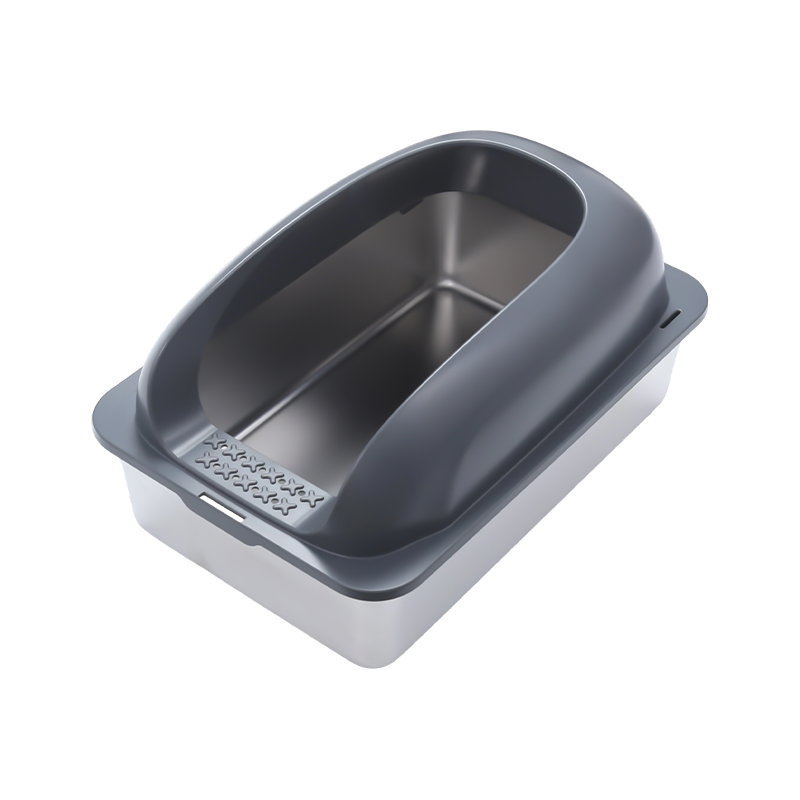
A proper reset goes well beyond scooping. Leftover ammonia residue soaks into plastic over time, and no amount of fresh litter poured on top will neutralize it. Cats notice this faster than people do, since their sense of smell is many times more sensitive.
- Put on gloves and dump all the old litter into a trash bag, scraping the corners where clumps stick.
- Wash the tray with warm water and an unscented, mild soap — avoid ammonia-based cleaners, since the smell can mimic urine and confuse the cat.
- Rinse thoroughly and let the tray air-dry completely; any leftover moisture causes new litter to clump prematurely.
- Add a fresh layer, typically 2 to 3 inches deep depending on the litter type.
- Place the box back in its usual spot — cats are location-sensitive and may avoid a box that's been moved.
Quick check: If a tray still smells faintly after washing and full drying, the plastic has likely absorbed odor at a microscopic level. Trays used daily for more than a year often need replacing rather than repeated washing.
How to Reset an Automatic Litter Box Step by Step
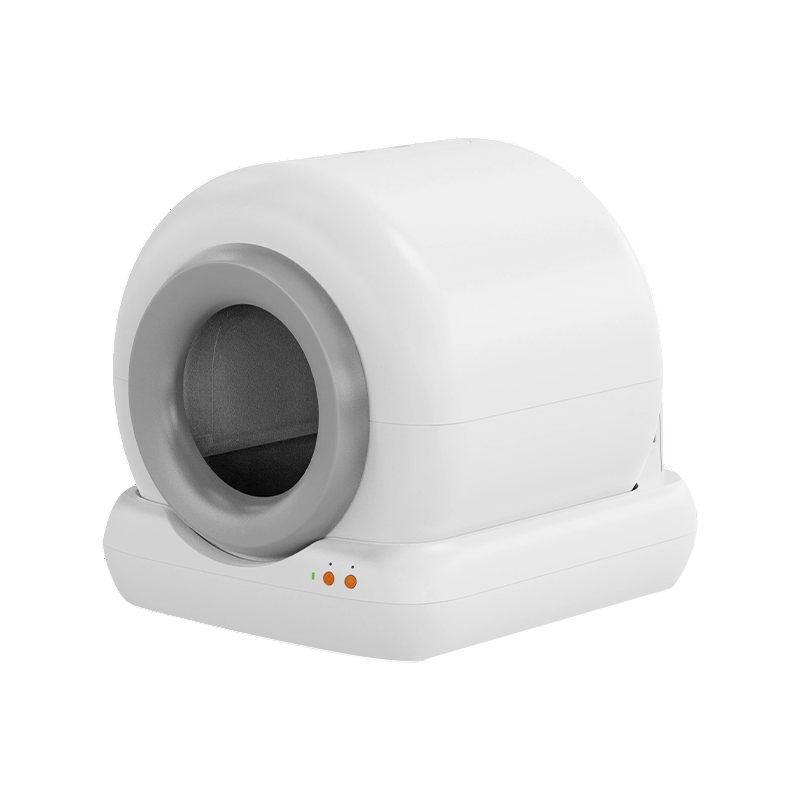
Automatic units combine a mechanical rake or rotating globe with sensors that detect weight and motion. When something blocks the sensor — a stray clump, a toy, or too much litter — the unit stops and flags an error rather than continuing to run, which is a safety feature, not a malfunction.
- Power off the unit using the main switch or app control before touching the rake mechanism.
- Remove any clumps, litter buildup, or debris from the sensor area and rake track.
- Empty the waste compartment even if it isn't full, since a nearly-full bin can trigger a false error.
- Press and hold the reset button for the time specified by the unit (commonly 3 to 5 seconds) until the indicator light changes.
- Power back on and run one test cycle without the cat present to confirm the rake completes a full pass.
Soft Reset
Clears a single error code. Doesn't touch the litter or the bin. Use this first before assuming something is broken.
Full Reset
Empties the bin, clears sensors, and restarts the cycle counter. Recommended weekly even without errors.
Factory Reset
Wipes app pairing and saved schedules. Only needed when replacing a unit's connectivity module or after a firmware failure.
Reset Frequency by Litter Type
The material inside the box changes how often a reset is actually necessary. Clumping clay holds odor differently than crystal or tofu-based litter, and choosing the wrong reset schedule for the material either wastes litter or lets odor build up.
| Litter Type | Daily Scoop Needed | Full Reset Interval | Odor Control Rating |
|---|---|---|---|
| Clumping clay | Yes, 1–2x daily | Every 7 days | Moderate |
| Crystal/silica | Solid waste only | Every 21–30 days | High |
| Tofu/plant-based | Yes, 1x daily | Every 10–14 days | Moderate to high |
| Non-clumping clay | Yes, 1–2x daily | Every 5–7 days | Low |
| Pine pellets | Solid waste only | Every 14 days | Moderate |
Signs a Reset Is Overdue
Waiting for a fixed calendar date isn't always accurate, since household size, number of cats, and humidity all affect how fast a box degrades. A multi-cat household with two cats generates roughly double the waste of a single-cat home, which shortens the reset window by several days.
- Litter clumps stick to the bottom of the tray even after scooping.
- The cat starts eliminating just outside the box edge rather than inside it.
- A faint odor is noticeable from more than a few feet away within an hour of cleaning.
- For automatic units, the rake pauses mid-cycle or the error light blinks more than once a week.
- Litter level drops unevenly, leaving bare patches of plastic exposed.
Mistakes That Shorten Time Between Resets
Certain habits force a household into resetting far more often than the litter type would otherwise require, which adds unnecessary cost and effort over a year.
| Mistake | Effect |
|---|---|
| Using scented litter or scented liners | Cats often avoid strong scents, leading to accidents outside the box |
| Filling the tray too shallow (under 2 inches) | Clumps break apart and stick to the base, forcing earlier resets |
| Placing the box near a heat vent or in direct sun | Litter dries out and loses clumping ability faster |
| Skipping daily scooping | Ammonia builds up quickly, cutting the reset interval roughly in half |
Choosing a Reset Schedule for Multi-Cat Households
The general rule used by shelters and veterinary clinics is one box per cat plus one extra. That guideline exists partly because it spreads out usage enough that no single box needs resetting more than once a week, even with several cats in the home.
1 Cat
7–14 daysStandard reset interval for a single-cat household using clumping litter.
2 Cats
5–7 daysFaster buildup means a shorter window, especially with one shared box.
3+ Cats
3–5 daysMultiple boxes are strongly recommended to avoid daily full resets.
Q: How often should a cat litter box be reset?
A: Most single-cat households should do a full reset every 7 to 14 days, while multi-cat homes often need it every 3 to 7 days depending on the number of cats and litter type.
Q: How do I reset a pet litter box that keeps showing an error?
A: Power the unit off, clear any clumps or debris from the sensor and rake track, empty the waste bin, then hold the reset button for the time listed in the manual before powering back on and running a test cycle.
Q: Can I just add more litter instead of doing a full reset?
A: Topping off litter delays a reset briefly but doesn't remove absorbed odor from the tray itself, so it isn't a substitute for periodically dumping, washing, and refilling the box.
Q: Why does my cat avoid the box right after I reset it?
A: Strong-smelling soap, leftover moisture, or a relocated box position are the most common reasons; using unscented cleaner and returning the box to its usual spot usually resolves this within a day or two.
Q: Does litter type change how often a reset is needed?
A: Yes — crystal or silica litter can often go 3 to 4 weeks between full resets, while clumping clay typically needs a full reset closer to once a week.



Contact Information
No. 2, Macaotou Road, Mazhu Town, Yuyao City, Zhejiang Province, China
+86-15669283739
Copyright © Ningbo Meace Pet Products Co., Ltd. Rights Reserved
